
01 / find
The fast part.
Search indexed names, paths, file types, sizes and ages. Live results stay out of the UI thread, so you can keep moving.
wckd.ai / file search & storage
Find the file. See what’s taking up space. Review what goes.
A fast, local terminal tool that makes your disk legible.
macOS + Linux · ARM64 + x86-64 · Rust · MIT
a little sharper
01 / find
Search indexed names, paths, file types, sizes and ages. Live results stay out of the UI thread, so you can keep moving.
02 / understand
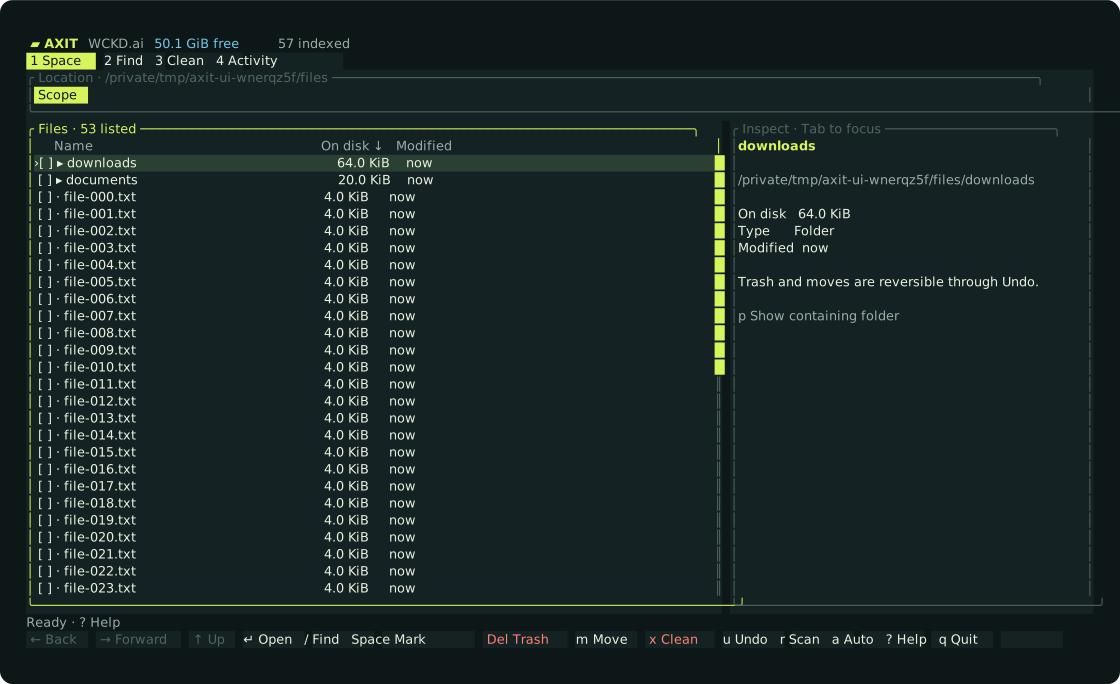
Browse large folders, inspect files and see where access is restricted. Free disk space is reported separately from indexed estimates.
03 / axit
Review Trash, moves and verified cache cleanup before applying. Undo reversible moves. Automatic cleanup starts off.
ready when you are
No account. No Rust toolchain for release installs. No background service.
curl -fsSL https://axit.sh/install.sh | shThen run axit. The installer checks SHA-256 and installs to ~/.local/bin. It preserves preferences and does not scan or delete user files.
agent friendly
MCP exposes scoped search, browsing and plans. Mutations are disabled by default. The ACP adapter supports deterministic metadata commands without running a language model.
axit
axit search 'ext:pdf size:>100mb'
axit browse
axit mcp --root "$HOME"
axit acp --root "$HOME"
before you swing
The index stores file metadata and names. It does not index file contents, follow symlinks or scan other mounted filesystems. Access failures are counted and visible in Activity.
Recognized generated caches with ownership, age, Git, activity and protected-content checks. Whole Rust target directories and release profiles are preserved. Trash and moves use a reviewed plan; permanent cache cleanup is clearly labeled.
Automatic cleanup is off by default. Opt-in rules need explicit folders and apply age, size, free-space and cooldown limits. No background service is installed automatically.
Grant your terminal Full Disk Access to include protected locations. Administrator access alone does not remove macOS privacy restrictions. Axit reports gaps in coverage.
Yes. Axit reuses the previous private store when no Axit store exists, including the index, preferences and undo journal. Legacy configuration variables and MCP tool names remain accepted.
File mutations require lsof; scans and search work without it. Folder totals can overlap, and indexed sizes need refreshing after changes.